Made to be debuggable at 2am.
magus is a task orchestrator: it builds, tests and lints the projects in a repository, works out which ones a change reached, and calls the tools you already run instead of replacing them. One project or two hundred, in whatever languages you already use. It caches what those tools produce, so the same work never runs twice. Ask it what it is going to do and it prints the exact command, arguments and all. When something breaks (and something always breaks), the error comes from your tool, not from ours.
It informs; it does not decide. Everything it knows about your repository, handed over as answers - and the call stays yours. It was not built for agents, either: they drive it well because an interface legible to a person is legible to anything, and that ordering is the design.
magus is early software. The parts you see here work, and I have put care into them, but I am still shaping the project. Expect change, rough edges, and uneven platform coverage as it grows. It is pre-1.0; CI tests linux/amd64 only, and the Windows builds have never been run here (what is tested, per platform). One binary, GPL-3.0, on Linux, macOS and Windows, whatever languages your repository holds. No account, no paid tier, and nowhere to phone home: magus runs no hosted service, and the OpenTelemetry exporter stays off until you point it at a collector of your own.
$ magus affected ci --dry-run
projects: apps/web (1 of 5)
base: git diff vs origin/main
charms: rw
cache: local (read+write)
dry run: commands shown, not executed
[dry] apps/web
  magus run ci apps/web
  $ pnpm install --frozen-lockfile
  $ pnpm exec tsc
  $ pnpm exec biome check src
  $ pnpm exec vitest run
summary: dry run, 1 target would run
What makes it different

Affected sets and a build cache are settled ground, and I am not trying to reinvent them. There is no new idea on this page. The work went into refining old ones and then stopping: nothing here invents vocabulary for something that already has a name, and nothing here hands you a second way to do what one verb already does. What is rarer than a new idea is a build tool you can still follow six months in. Boring is the point, because boring means consistent, and inconsistency is where footguns come from: every arbitrary pattern and special case is one more thing you have to remember instead of derive.
It also runs where you are standing. magus run test from inside a project works on that project, the way Make has behaved since 1976 and most command-line tools have since, and the way an agent already expects when it walks up the tree looking for its own instructions. Context is not a feature anybody had to invent; it is the default behavior of a command line, and it survived fifty years because it is right.
Which is why a project here is its path, and has no second name. Give it one and you have created a mapping: something has to store it, keep every entry unique, and update it each time a directory moves. Allow arbitrary characters in that name and you have also decided, permanently, what quoting every command in your repository needs. None of it was a problem anyone had before the naming scheme invented it, and the tool that invented it then hands you the ceremony for living with it: name the project every time, because it can no longer work out the one thing the shell already knew, which is where you were standing when you asked.
--dry-run prints the exact command. Modifiers are additive - what you named plus the workspace default, nothing else - so there is no precedence order to reverse-engineer when a value is not what you expected.
The graph is a byproduct
A build tool already has to know every project, input and output, or builds break. magus hands that same knowledge back as something you can query. Nothing infers your project structure, no LLM pass ever runs over it, and every edge traces to a declaration you can open.
Built for humans. Agents welcome.
A tool for people who do this for a living. It assumes you know what you are doing.
Every tool that boxes you in was built by someone who believed they had enumerated the cases. Nobody can. The moment you need the one thing they did not anticipate, the answer is that you cannot do that here - and then you are stuck, and so is whoever you escalate to. So the constraints here live where they can be enforced, in the sandbox and the content-addressed cache, rather than in a schema that has to predict you. What is left is a real language with an escape hatch, because sooner or later you need one. It can hand you everything it knows and tell you what it thinks; it cannot make the call for you, and it should not try. A tool you stand this close to has no business being a walled garden.
None of which makes the enforcement soft. What is enforced is enforced by the engine and cannot be talked past: ci strips the write charms before it dispatches, so the pipeline cannot mutate your tree even when someone explicitly asks for ci:rw. That is a rule magus keeps, not a convention a plugin author might remember to honor. The freedom is in what you are allowed to want, not in whether the rules apply to you.
Easy and permissive are not opposites, whatever the tools that claim to solve everything for you have taught you to expect. Something can meet a person on their first day and still not pen in the one who has been doing this for fifteen years. You get both by informing rather than deciding: the newcomer does what it told them, and the veteran reads the same output and does something else with it.
It was not designed for agents, which is worth saying plainly given how much tooling now is. They drive it well anyway, and that is a side effect: an interface legible to a person is legible to them.
Nothing that makes it drivable was invented for a model. --output is a global flag, so any command will hand back json, yaml, a bare list of names, or one field through a Go template, and nobody has to shred a screen of text to get a value out of it. --dry-run prints the exact argument vector before anything runs. A verb means the same thing everywhere it appears, and an error magus raises itself carries a code you can look up. A command line has owed you all of that since long before anything else was reading its output on your behalf. A tool that only got there once machines started reading it was late rather than clever, and giving that old obligation a new name does not make it a new idea.
So an agent gets exactly what you get, out of the same flags, for the same reason. What it does not get is a say in the design. The day the graph is shaped for a model first is the day this took a wrong turn, and the damage would not announce itself: output tuned for a reader who never gets tired and never gets confused quietly stops being output a person can follow, and you would find that out at 2am.
What ships for agents, and what does not
Twelve skills, compiled into the binary, installed with one command into .claude/skills, .agents/skills, .opencode/skills, or anywhere else your shell can reach. They teach the tool: how to run a target, query the graph, read a diff, resolve a generated-file conflict. Documentation with a table of contents, not a plugin reaching into your repository.
What it will not do is write your AGENTS.md. That file is yours, and an installer that edits a file you own leaves bytes you did not write and cannot audit, so magus agent install prints the block for you to paste and only mentions it when yours is missing or stale. The whole command is a data generator: it writes to stdout, and you decide where it lands.
The skills are one shared body installed identically everywhere, which means they cannot know that a target here is slow, that a directory is off limits, or that one command keeps going wrong in this repository. That part is yours, and it belongs in your repository rather than in mine. The installed copies are written for you to commit; a local skill sits beside them under a name magus does not ship, so an install never overwrites it; the notes store is checked-in content like any other source. All of it is version-controlled, reviewed as an ordinary diff, and meant to be rewritten as you learn - the same way you would maintain any other note to the next person. The one piece deliberately kept out of the tree is the memory, which is yours alone and not the team's. A skill that claimed to know your workspace would be lying about where the knowledge came from.
There is also a guard: magus session hook takes one proposed command or file path and returns deny, advise, or pass, so an agent can be told no before it runs something rather than after. And a server-hosted MCP endpoint, which I will describe accurately rather than enthusiastically: it works, it is bearer-gated over loopback, and it is the piece of the agent integration I am least sure earns its place. If it is removed it will go through the same compatibility contract as anything else, but do not build on it expecting it to be load-bearing forever.
None of this is the reason the graph exists, and it is worth repeating that the day it becomes the reason is the day something went wrong. Pointing an agent at it has the full list.
What you write
A magusfile.buzz at each project root. Every exported function is a runnable target. It is typed, so a misspelled op is a compile error rather than a failure twenty minutes into CI.
import "magus";
import "magus/spell/go";

magus\project({ "spells": [go] });

// every exported function is a runnable target
export fun build(ctx: magus\Context, args: [str]) > void { go["go-build"](ctx); }
export fun test(ctx: magus\Context, args: [str])  > void { go["go-test"](ctx); }
export fun lint(ctx: magus\Context, args: [str])  > void { go["golangci-lint"](ctx); }

// read-only by default. format:rw writes, format:update re-resolves go.mod
export fun format(ctx: magus\Context, args: [str]) > void {
    go["go-fmt"](ctx);
    go["go-mod-tidy"](ctx);
}

export fun ci(ctx: magus\Context, args: [str]) > void {
    ctx.needs(build, test, lint, format);
}
A spell names a tool
A spell is not an abstraction over your toolchain, it is a name for it. go["go-build"] runs go build; the spell decides the arguments and nothing else. It supplies the operations a target can call, named after the thing they run, so reading a magusfile tells you which binaries will be invoked.
A charm modifies a run
A charm says in what manner. rw turns a check into a write, so format reports by default and format:rw rewrites. update is separate because moving pinned upstream state forward is a different risk from reformatting a file.
Underneath it is an RFC 6902 JSON Patch over the command's argument vector, so a charm can replace an argument, remove one, or insert at a position - not merely append a flag. The SET you name is additive and stacks (format:rw,update), and every run prints the set in effect before it starts; what each one does to the argv is as precise as it needs to be.
Together they are the whole model
Neither invents behavior your tools do not have. That is deliberate: a tool that abstracts your toolchain away leaves you helpless the first time it breaks, and it breaks eventually. This one expects you to keep the knowledge you already have and hands it straight back when something goes wrong, rather than standing between you and the answer. Adopting it should not cost you anything you already know.
It also will not write code for you. Boilerplate a tool generates into your repository is toil you inherit: now you have to know whether you may edit it, what breaks when you do, and whether the next version overwrites it. magus scaffolds one magusfile with magus init and never touches it again, and nothing it writes into your tree has to exist for a build to run.
What you type
Every verb answers one question and stops. Four words carry the whole vocabulary - target, spell, charm, op - so a new capability never earns a new subcommand, and the CLI does not grow into a dialect you have to keep relearning.
magus ls- which projects exist
magus run test- run a target, cache the result
magus affected ci- the pipeline, over only what your diff reaches
magus query kind:spell- what the graph knows
magus describe file <path>- is this generated, and by what
The flags are the same everywhere too
They are global, not per-command, which is the part that makes them worth learning once. Each one answers a different question about a run you have not committed to yet: what would happen, how much do I want to see, and who is going to read the output.
--dry-run- print the exact argument vector and stop
--outputjson,yaml,name, or a Go template-v/-vv/-vvv- detail, then live tool output, then tracing
--silent- errors only, with the failing log's path
--no-cache- run it again for real, then refresh the entry
--explain/--impact- why is this project affected, and what does my diff reach
One command, whichever shape you need it in
The same question, asked three ways. Nothing here is a second code path bolted on for scripts: it is one command with one answer, rendered for whoever is reading. The template fields are the -o json keys, so you find a field name by running the command rather than by reading source.
project: apps/api (3 targets)
  generate  regenerates the client from the schema.
  lint      [buf: buf-lint]
ci [needs: generate, lint]ci
generate
lint{
"workspace": "/home/dev/src/acme",
"count": 1,
"projects": [
{
"path": "apps/api",
"name": "api",
"count": 3,
"targets": [
{ "name": "generate", "reads_secrets": false },
{ "name": "lint", "reads_secrets": false },
{ "name": "ci", "dependencies": ["generate", "lint"] }
]
}
]
}The magusfile that produced those targets is typed, so the mistakes land at the right time. export fun ci(ctx: magus\Context, args: [str]) > void is a signature the checker enforces, and a misspelled op is a compile error before anything runs rather than a failure twenty minutes into a pipeline.
An error you have to read twice is a bad error
One you have to interpret is worse. The bar is that you read it once, understand what happened, and know what to do next: no ambiguity to resolve, nothing to look up, nobody to ask. An error that fails that test has handed its job to the reader.
So a diagnostic magus raises itself carries a code and a page of its own, saying what tripped it and how to get past it. There are sixty-odd of them and the number keeps going up, which is the point rather than a milestone - the whole catalogue is here.
What does not get a code is the error your tool produced. A compiler's complaint, a non-zero exit, a stack trace out of the interpreter: those reach you as they were written, and putting a magus number on someone else's message would be inventing a diagnostic rather than reporting one. So the rule is narrower than "everything is documented", and more useful: if magus is the one objecting, it owes you a code and a page. If it is your tool objecting, it owes you the message unedited.
The documentation came before the announcement rather than after it. Two hundred-odd maintained source pages render into more than five hundred alongside the generated reference. I used AI throughout to move faster, then reviewed and revised the material repeatedly. Generated pages carry an auto-generated tag, so you can tell when code, rather than maintained prose, is the source of truth.
You can understand, operate, and improve magus without a private tour from its author. Maintainers can use the docs and diagnostics to keep it healthy.
The graph is a byproduct, not a product
Every few months there is a new name for this and a new tool to go with it: graph engineering, context engineering, fanning work out across subagents. The tactics keep changing and the same requirement sits under all of them, which is a model of your repository you can actually trust. Most of what ships to provide one is a third-party observer: it scans from the outside and infers the structure, and an inference can be wrong in ways nothing warns you about.
magus is not observing your repository. It is the thing that builds it, so it already has to know every project, every target's declared inputs and outputs, and what a diff reaches. Get any of that wrong and builds break, loudly, today. The graph is that same knowledge handed back to you, and every run checks it. A scan can only happen to agree.
Knowing is the easy half. A graph nobody can put a question to is a data structure, not an answer, and collecting more of it does not help. So every verb is a question with a plain answer: what depends on this, is this file generated and by what, where is this symbol used, what does my diff touch. If it cannot be asked in one command and read in one screen, it does not earn its place.
One of those verbs is not like the others, and the difference is worth stating rather than glossing. Symbols come from a SCIP index, and magus does not contain an indexer. The scip op forks the one your language already has - scip-go, scip-typescript, scip-python, rust-analyzer - and magus reads what it emits. So that layer really is a second index: it is as fresh as its last run and no fresher, it is the one part of the graph a scan produced rather than the build, and if the indexer is not installed you do not get it. Everything else on this page - projects, targets, declared inputs and outputs, what a diff reaches - is the build's own bookkeeping and needs nothing installed to be true.
Everything gets a reference. It is not a random id.
Every run prints one, on success and on failure alike, and it keeps working long after the terminal is gone. The reference is the content-addressed cache key with its tail cut off, so it is not an identifier magus made up and wrote down: the same inputs produce the same reference on your laptop, on a colleague's, and on CI. A reference from a CI log is a reference you can resolve at home.
Which is what makes a failure tractable. A failing target does not just say what went wrong; it hands you the reference for the output, the exact command to read it, and the exact command to run it again.
[fail] apps/web lint (ran, 2.8s)
  cause: eslint: exit status 1
  output: outb513e99c9eea
  inspect: magus query output outb513e99c9eea
  reproduce: magus run lint apps/web
That reference resolves days later, to the exact captured bytes, or to a record with -o json, or into a browser log viewer with --open. --attempts lists every stored execution behind it, because a flaky target has a history rather than a result. And --publish uploads one run's output to the remote cache as a signed bundle so a colleague can resolve the same reference you are looking at; failing runs are never shared automatically, because a stack trace from your machine is yours until you decide otherwise.
None of this is an audit log and none of it is a security feature; nothing here is trying to catch anyone. It answers the two questions you actually ask after the fact, both otherwise guesswork: what did that command really run, and why did this rebuild when I did not change anything.
command: magus run lint apps/web
cwd:     ~/src/acme
started: 2026-08-10 14:30:49 (3.488s)
status:  pass

secrets: no credential reads during this run

events:  19
  14:30:49  started
  14:30:51  exec      pnpm install --frozen-lockfile
  14:30:51  exec      pnpm exec tsc
  14:30:52  exec      pnpm exec biome check src
  14:30:53  result    pass
The second question is the one a cache normally cannot answer. A content-addressed cache decides by hashing its inputs, so "why did this run again" has an exact answer, and magus will show you the key broken into the parts that composed it. One digest differs from last time; that is the input that changed.
target:  lint:rw
status:  pass (1.843s)
inv:     invmsnkhkml1  (magus run lint apps/web)
key:     840a2b0bbffb9be6...553bfe4d (keyVersion 5)
rev:     9f3c1d7a4b2e (dirty: uncommitted changes at capture time;
         the revision alone may not reproduce it)

key components:
  os               b6d8d425bd8a  1 line
  arch             f67e9ac7c9ea  1 line
  projectPath      6495552683f0  1 line
  target           b8e6454d1495  1 line
  charm            2c5d84332584  1 line
  src              200bc8e89b6e  10 lines
  spellDefVersion  cbb77e117681  1 line
  tool             fb3166df8e7d  3 lines
Two lines there are worth pointing at. rev says the tree was dirty and that the revision alone may not reproduce the result, rather than printing a commit hash and letting you assume it would. And secrets reports that nothing was read, because the useful thing to know is whether a run touched a credential at all, which is a question about how your build behaves and not an accusation about who ran it.
There is a GUI. You never have to open it.
It is called the Console, and the name is overloaded enough to be worth pinning down: this is a graphical app in your browser, not a terminal. Some tools use the word for the terminal itself. magus is CLI-first and stays that way; the Console reads the same server and adds nothing you cannot already get from a prompt.
It is optional by design, and I mean that as someone who lives in a terminal and runs his editor in one. The CLI is the product. magus is fully featured with a browser never involved, and nothing in the console is a place where work happens only there.
A GUI earns its place at the things a terminal is bad at. A dependency graph is the obvious one: you can print it, and you will still want to look at it. The rest is for what you are curious about, not what you do all day. A dashboard of server health and running targets is frankly an older idea, a remnant of a different era of continuous integration, and it is still pleasant to leave open on a spare screen when you want half an eye on things.
It cannot quietly become a dependency, and that is structural rather than a promise: the binary serves no HTML. The pages are a separate static site. Over loopback the server exposes read-only views, one bearer-gated job service for maintenance work such as reindexing the graph, and the MCP endpoint - and the whole schema is published as reference documentation, so that is checkable rather than something you take from me. Your data does not leave the machine.
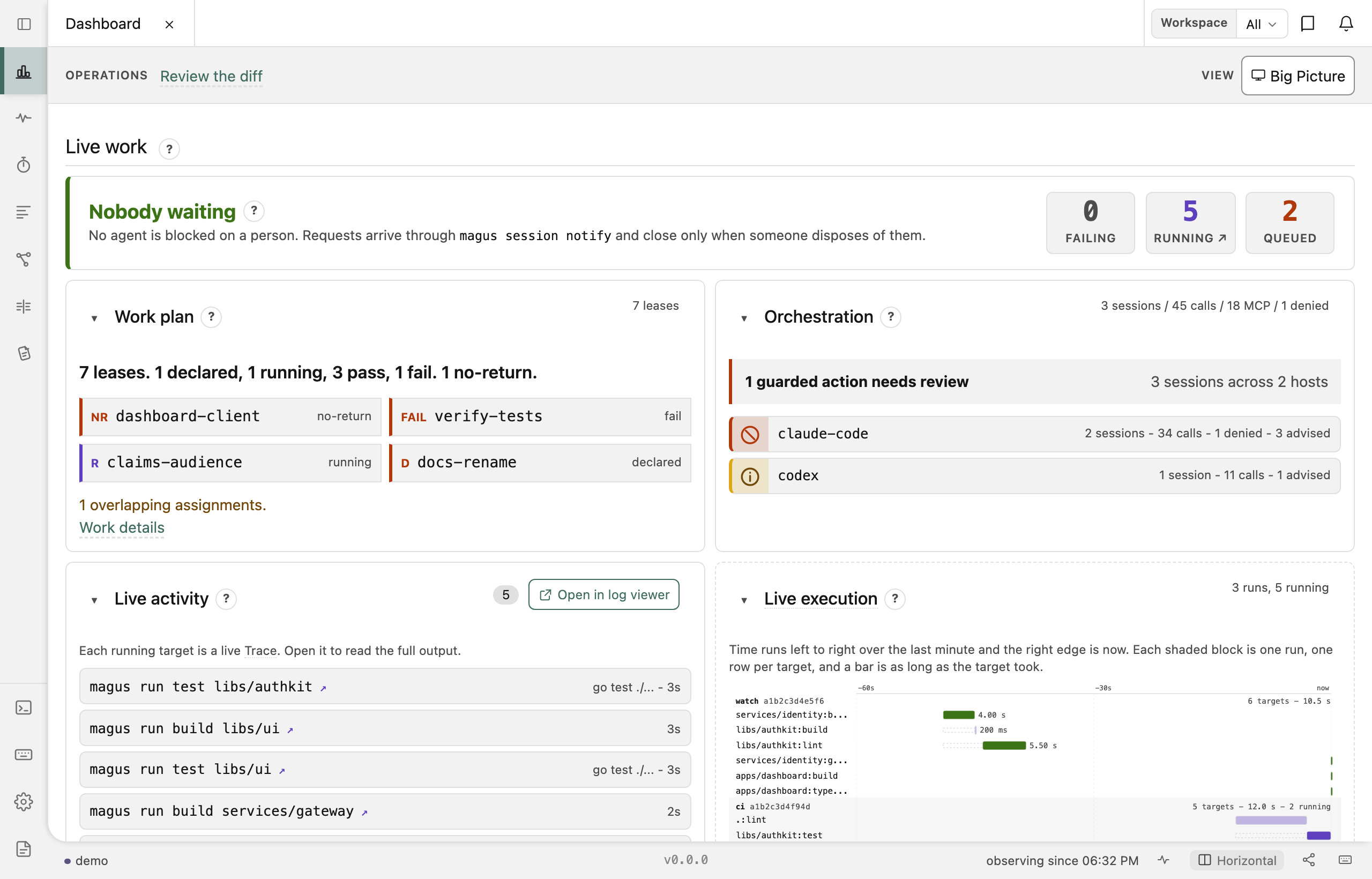
Open the live demo - no install and no server; it runs on synthesized activity so you can see all four apps before deciding whether you want any of them.
Version control, and the toil around it
Git is the one everyone has, and it is not the only one magus speaks. There are backends for Mercurial and Jujutsu as well, with the caveat stated plainly: git is what gets exercised daily, and the other two will have rough edges I have not hit yet. None of the three is reimplemented here. Each backend drives that system's own command, so what you get back is what git, hg or jj said, and magus has no opinion it could quietly substitute.
The part worth having either way is what happens around a merge. Generated files conflict constantly and resolving them by hand is the wrong move every time, because the answer is not a merge of two outputs - it is whatever the generator produces from the merged source. magus vcs resolve settles the conflicted generated files and regenerates once. magus vcs ls-files lists the paths a commit of the change wants, generated outputs included when their sources explain them, so nobody has to remember which paths are outputs; you stage the list.
The same knowledge answers the question you actually have on a pull request: what does this change reach, and is something else in flight about to make me rebase. magus can post that as advice on the pull request itself - blast radius, generated-file drift, a conflict you are heading toward - and it says nothing at all when it has nothing to say.
Your CI provider is a detail
magus fans work out across runners without knowing whose runners they are. magus affected ci --plan emits a provider-neutral matrix: which projects a change reached, split into shards. It will not drop into a provider untouched, and nobody should pretend otherwise. Every provider wants that same information in its own shape, so something has to reshape it, and the interesting question is what that something is allowed to be.
Here it is magus. Structured output is not a flag you bolt on for scripting: --output is global, so it works on every command, and it takes json, yaml, name, or a Go template, and the transform itself is Buzz, the same language your magusfile is already written in. No jq in your pipeline, no sed holding your CI together, no shelling out to a text tool to fix up a data structure that was structured when it left. Switch the tab to see the same plan land in a different provider.
What magus emits. No provider knows about this shape, and that is deliberate: it is the answer, before anyone has an opinion about how to spell it.
{
  "target": "ci",
  "count": 3,
  "max_parallel": 3,
  "source": "git diff vs origin/main",
  "matrix": [
    { "shard": "0", "projects": ". apps/api libs/schema" },
    { "shard": "1", "projects": "apps/web libs/ui" },
    { "shard": "2", "projects": "services/worker libs/testing" }
  ]
}
Actions wants key=value lines appended to $GITHUB_OUTPUT, with the matrix as a JSON string it will parse back out with fromJSON. That is the glue, and here is all of it: the plan is computed once, magus renders it through a template, and the step redirects what magus printed. magus never learns the file's name.
- id: plan
  shell: bash
  run: |
    magus affected ci --plan > "$RUNNER_TEMP/plan.json"
    magus run --stdin --dry-run -o 'template==' < "$RUNNER_TEMP/plan.json" >> "$GITHUB_OUTPUT"
magus run --stdin --dry-run -o 'template=' < "$RUNNER_TEMP/plan.json" >> "$GITHUB_STEP_SUMMARY"matrix={"include":[{"shard":"0","projects":". apps/api libs/schema"},{"shard":"1","projects":"apps/web libs/ui"},{"shard":"2","projects":"services/worker libs/testing"}]}
count=3
max_parallel=3
inherit=falseThe workflow reads them back, and these three lines are the only ones that know whose runners these are.
max-parallel: $
matrix:      $
GitLab wants parallel:matrix, a list of variable sets. Different shape, same plan, and the transform is a dozen lines of Buzz you keep in your own repository.
final plan = serialize\jsonDecode(io\stdin.readAll());
var yaml = "shard:\n  parallel:\n    matrix:\n";
foreach (row in plan.q("matrix").listValue()) {
    yaml = yaml + "      - SHARD: \"" + row.q("shard").stringValue() + "\"\n"
                + "        PROJECTS: \"" + row.q("projects").stringValue() + "\"\n";
}
std\print(yaml);shard:
parallel:
matrix:
- SHARD: "0"
PROJECTS: ". apps/api libs/schema"
- SHARD: "1"
PROJECTS: "apps/web libs/ui"
- SHARD: "2"
PROJECTS: "services/worker libs/testing"Nothing in magus is compiled against a provider. GitHub Actions and GitLab CI are spells, written in Buzz, and moving between them changes a spell and a workflow file rather than anything about how your build works. Git was meant to be distributed; a great deal of tooling has quietly made one host load-bearing anyway, and the last few years have been a reminder of what that costs when the host has a bad week.
Add what you need. Keep what you write.
There is no CI provider compiled into the binary. GitHub Actions, GitLab, S3 - none of that lives in the Go source. They are spells, written in Buzz, and magus loads them from your own workspace as readily as from its own.
That boundary is the point: the thing you are most likely to need to change is the thing you can change without touching magus at all. Adding a tool, a provider or an op is not a pull request you have to get merged and then wait for a release to use. Write the spell, keep it in your repository, bind it. If it turns out to be useful to other people, contribute it back; if it is specific to your company, never do.
There is a failure mode this avoids by construction. When the extension point is "write code that runs the tool", every plugin author ends up re-solving the same problems - caching, environment, failure handling, secret redaction - and solving each of them slightly differently, so the ecosystem accumulates the same footguns once per plugin and everyone downstream maintains the consequences of a leak they did not write. A spell does not run anything. It declares a command: a binary, its arguments, which charms modify it, which secrets it needs. Running that declaration - caching it, sandboxing it, applying the charms, capturing and redacting the output - is the engine's job, and it happens identically for every spell ever written.
The same holds for the browser apps. The server speaks protobuf, and its schema is published as reference documentation. The Console is a reference frontend: a working client that shows what the API supports. I do not work in TypeScript often, so AI helped me move quickly while I reviewed and refined it. You can build your own application on the same API.
That boundary is a licensing one too, which is worth being precise about because magus is GPL-3.0-or-later and people reasonably assume the worst. A spell is a Buzz file that lives in your repository and that magus reads and runs, the way make reads a Makefile and a shell runs a script. It is your work. It is not part of magus, it is not linked into anything, and nothing in the license asks you to publish it. Keep the spell that wires up your company's internal artifact store closed forever. That is the intended use, not a loophole.
What the license does reach is magus's own source. Change that and pass the result on, and whoever you passed it to is owed the same freedoms and the same source you had. The obligation attaches to handing it on, not to editing it. A patch you build and run inside your own company and never distribute is yours as well. The practical point is that you are unlikely to need one, because the extension point was deliberately put outside the binary.
Recent writing
Why things are the way they are, at more length than a documentation page should go to.
Where to next
Three, in order. The first is the only one you need today.
Already working with an agent? Pointing an agent at it covers the structured output, the installed skills and the graph queries it can use, and what it deliberately does not get.