Development







A fast, cross-platform task orchestrator for polyglot monorepos. One binary, no second toolchain to install. Targets are programs, not YAML.
Change a file and magus works out which projects it reaches, rebuilds only those, and caches every result so the same work never runs twice.
magus informs; it never decides. It hands you everything it knows about your repository (what a change reaches, which files are generated, where a symbol is used) and the call stays yours. It was built for humans, not for agents: agents drive it well anyway, because an interface legible to a person is legible to anything, and that ordering is the design.

One command, three runs: cold, fully cached, then narrowed to what a change reached.
Who this is for
Repos with more than one language, or CI that reruns work a change never reached. One project works too.
The tradeoff: you declare what each target reads and writes, and magus stops when a run disagrees. A few lines in a magusfile buy a build you can debug without knowing how magus works inside.
More: the knowledge graph, targets, agents, and the longer argument in I think our tools are the problem.
How it works
Five ideas carry most of the tool. Each has a deeper page; this is the short version.
Affected sets
magus keeps a dependency graph of your projects and knows which files each
target reads. Change a file and magus affected <target> runs only the
projects that change can reach, in dependency order. magus affected ci runs
the full pipeline over that set, so CI does the least work a change requires
and still catches breakage in a project you never opened. See CI.
Content-addressed caching
Every target declares its inputs and outputs. magus hashes the inputs, and if it has already seen that hash it replays the stored output instead of running the work again. The cache is a plain content-addressed store on disk (SHA-256): the input hash is the key, and the stored outputs are addressed by their own content hash, so a replay is a byte-for-byte reproduction of the recorded run.
The knowledge graph
Most tools that offer you a codebase graph are observers: a separate indexer scans the repo, infers the structure, and can be wrong in ways nothing warns you about. magus is not observing: it is the thing that builds the repo, so it already has to know every project, every target's declared inputs and outputs, and what a diff reaches, and getting any of that wrong breaks builds loudly. The graph is that same knowledge handed back: a byproduct of being the source of truth, never an inference about it. No LLM pass, no fuzzy linking; every edge traces to a declaration you can open.
magus query "kind=target lint" finds
nodes, magus explain <node> shows a node's edges and what reaches it, and
magus refs <symbol> lists where a symbol is defined and used from a SCIP
index.1 The same graph answers "is this file generated," "what does my diff
touch," and "how do these two things relate" without grepping. See the
knowledge graph, including
what this graph deliberately is not.
One vocabulary
magus names a thing once and reuses the name everywhere, in the CLI, the config,
and the graph. A target is a unit of work such as build,
test, or lint. A spell is a language adapter that supplies a
target's operations (the go spell provides go-test; the buf spell provides
buf-lint). A charm is a modifier applied to a run, like rw
for read-write or cd for continuous delivery. An op is a
single tool invocation. Learn the four words and the rest of the surface reads
the same way.
There is a terminal UI. It stays out of your way

A run pins its progress, failures group by project beside their output, and the picker searches the graph as you type.
The band at the bottom holds still while your output scrolls past it. Nothing is cleared, the alternate screen is never touched, and your scrollback survives - so selection, copy and paste keep working the way they always did. Every one of these surfaces degrades to plain text when there is no terminal to draw on.
Non-goals
- No remote execution. magus caches results and shares them. It does not run your work on someone else's machine.
- No toolchain management. magus compares what ran against what you declared and stops. It will not select, install or switch a version.
- No hermetic sandbox. The sandbox is a supply-chain defense, off by default, with no kernel layer on macOS. It will not fail a build on an undeclared read.
- No container isolation. Steps run on the host. The
containercharm changes what a target produces, not where it runs. - Small ecosystem. magus is young and mostly one person's work, so you will hit behavior nobody has hit before you. It is one Go binary and one Buzz file, both of which you can read.
Scope says why each line is there; Sandbox covers the third.
Getting started
Install
magus ships as a single self-contained binary, so there is no second toolchain to install.
curl --proto '=https' --tlsv1.2 -sSf https://eli.gladman.cc/magus/install -o install.sh
less install.sh
sh install.sh
Reviewing the downloaded script before executing it lets you audit the URL, verification, and installation steps instead of piping an unreviewed network response directly to your shell. See the Install guide for platform details, verification, and updates.
A first look
magus targets are written in Buzz, a small typed
scripting language it embeds. A magusfile.buzz at the repo root declares your
targets as exported functions: each one composes operations from the spells you
bind:2
import "magus";
import "magus/spell/go";

magus\project({ "spells": [go] });

// Every exported function is a runnable target. It receives a magus\Context,
// the handle it uses to declare what it needs and hands to every op it runs.
// magus caches each target's result and runs it only when a change reaches
// this project.
export fun build(ctx: magus\Context, args: [str]) > void { go["go-build"](ctx); }
export fun test(ctx: magus\Context, args: [str])  > void { go["go-test"](ctx); }
export fun lint(ctx: magus\Context, args: [str])  > void { go["golangci-lint"](ctx); }

// format is read-only by default: go-fmt reports files that need formatting, and
// go-mod-tidy runs with --diff so it fails if go.mod/go.sum have drifted. They take
// DIFFERENT write charms, because they are not the same risk. gofmt is offline, so
// the same tree always yields the same bytes: `magus run format:rw` rewrites the
// code. Tidy resolves against the module proxy, so what it writes depends on what
// upstream serves today; that is a second, deliberate ask:
//   magus run format:rw          formatting only; go mod tidy still just reports
//   magus run format:rw,update   also let go mod tidy amend go.mod and go.sum
export fun format(ctx: magus\Context, args: [str]) > void {
    go["go-fmt"](ctx);
    go["go-mod-tidy"](ctx);
}

// 'ci' is the anchor `magus affected ci` keys off: it composes the pipeline
// by declaring the targets it needs.
export fun ci(ctx: magus\Context, args: [str]) > void {
    ctx.needs(build, test, lint, format);
}
Point magus at that repo and each command returns an answer and stops:
magus ls                                  # which projects exist
magus run test                            # run a target, cache the result
magus affected ci                         # the pipeline, over only what your diff reaches
magus query "kind=spell"                  # what the graph knows
magus describe file docs/gen/index.html   # is this file generated, and by what
Nothing here plans a workflow or decides for you. magus describe file tells you a
path is a generated output so you skip its diff; magus affected ci tells you which
projects a change reaches so you run no more than that.
Architecture
One process (magus server start) exposes the workspace through two standing listeners, one per audience, and every browser page is a separate static asset; the binary serves no HTML. A third listener is raised only on demand: "share to phone" opens a time-boxed LAN listener that serves the read-only console to a phone on the same network, then tears itself down.
Four figures, one subject each. They were one flowchart until it carried roughly thirty-five boxes, which is the point at which a diagram stops being read and starts being skipped.
The HTTP surface
Agents and the console share one guarded front door: a DNS-rebind check, a bearer token and a CORS policy sit in front of /mcp, /api/v1, the Connect services and the share endpoint. The health endpoints are the deliberate exception, so a probe never needs a credential.
The local path
A CLI invocation never goes over HTTP. It dispatches across a private unix domain socket into the concurrency pool and the three registries the server keeps warm. Sharing a graph is the one case that spawns a separate short-lived loopback server.
What keeps it warm
File watchers, the SCIP auto-indexer and a coalesced graph-build job all exist to keep one thing current: the workspace registry, which holds the server's only warm copy of the knowledge graph.
Sharing to a phone
The LAN listener is the only part of magus a second machine can reach. It is minted by a loopback-only endpoint, time-boxed (fifteen minutes by default), carries a read-only token, and serves no MCP, share or mutating route at all.
How to read the diagram
The colors group the system by role, and each region is tagged with the Go
package or project that owns it, so the diagram doubles as a code map: the
runtime is the root module (cmd/magus plus internal/*), the browser console
is the docs/ project, and
the wire contracts are the proto/magus
protobufs.
Green is the Unix domain socket, the local control plane: it dispatches
magus run/magus affected into one shared concurrency pool,
answers magus status, and adopts nested magus calls. Fast and private
(0700); the local CLI and the liveness/readiness probes use it.
Orange is the HTTP server on mcp.address, for clients that cannot reach a Unix
socket. It carries MCP for agents at /mcp, the read-only
/api/v1 console routes,
Connect services for metrics and the activity trail, and one bearer-gated
job-control service for maintenance
jobs (the server's only mutating surface). Its request and
response types are the proto/magus
protobufs, generated by buf and served over Connect/JSON.
Red is the guard chain every HTTP route but health passes through: a DNS-rebind host check, a bearer token (the cli token plus named connector tokens), and CORS scoped to the site and loopback origins.
Yellow is the health routes, left unguarded so a kubelet can probe them; they answer by querying the same socket. See container probes.
Purple is shared, warm server state: the knowledge graph and SCIP index in the workspace registry, plus the runs, services, metrics, and trail registries, and the graph's own declared inputs and exports.
Indigo is the background jobs that keep that state fresh without a foreground command: file watchers invalidate the warm graph and push an SSE event to the console, a throttled SCIP indexer keeps symbols current, and a branch switch fires the git hook, which submits one coalesced graph-build job over the socket.
Teal is the browser console, five static apps on the server, covered in The browser console below.
The graph itself is assembled from declared sources as shards (the magusfile
registry, docs, @symbols from SCIP, @vcs from git history, CODEOWNERS).
magus graph export -o json writes the graph data copied into the console's
offline demo, and magus describe graph -o markdown writes the
MAGUS.md routing index; live, the server serves the same graph byte-identical
at /api/v1/graph.
Because the two listeners are separate, they can diverge: the socket can be
healthy while the HTTP/MCP endpoint failed to bind, which is why magus status
reports each one on its own line.
The browser console
magus is fully featured from the terminal, so everything here is optional. Alongside the CLI, the server can drive a set of read-only browser apps.
Want to see it first? Open the live demo: no install, no server. It fills the dashboard with synthesized activity, streams a build into the log viewer, and lets you jump between every app in demo mode. Everything below runs against your own server instead.
The apps
The apps ship as one console; each link below opens it on the matching app.
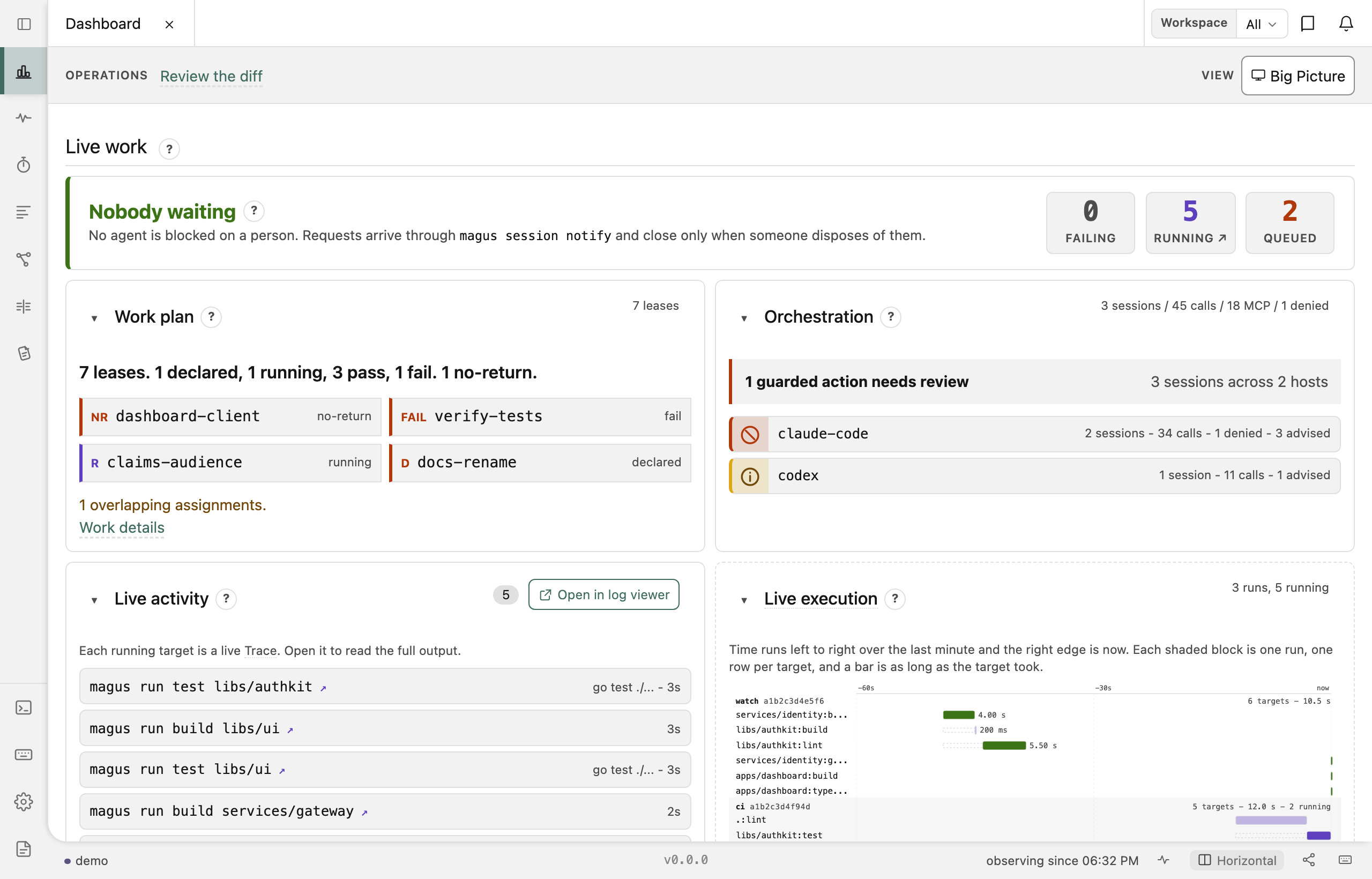 Dashboard Pool, cache and server health, live |
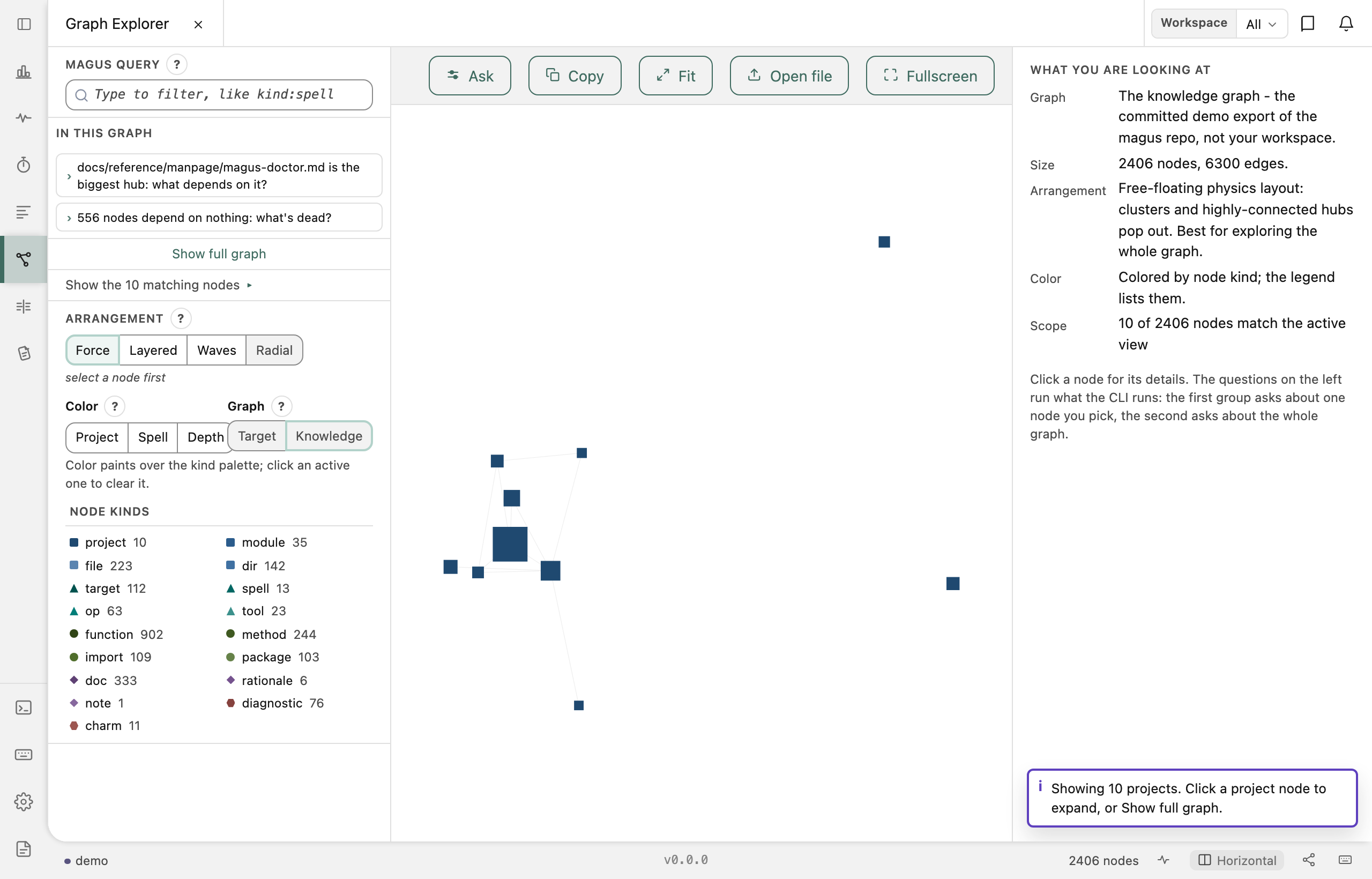 Graph Explorer Targets, spells and their dependencies |
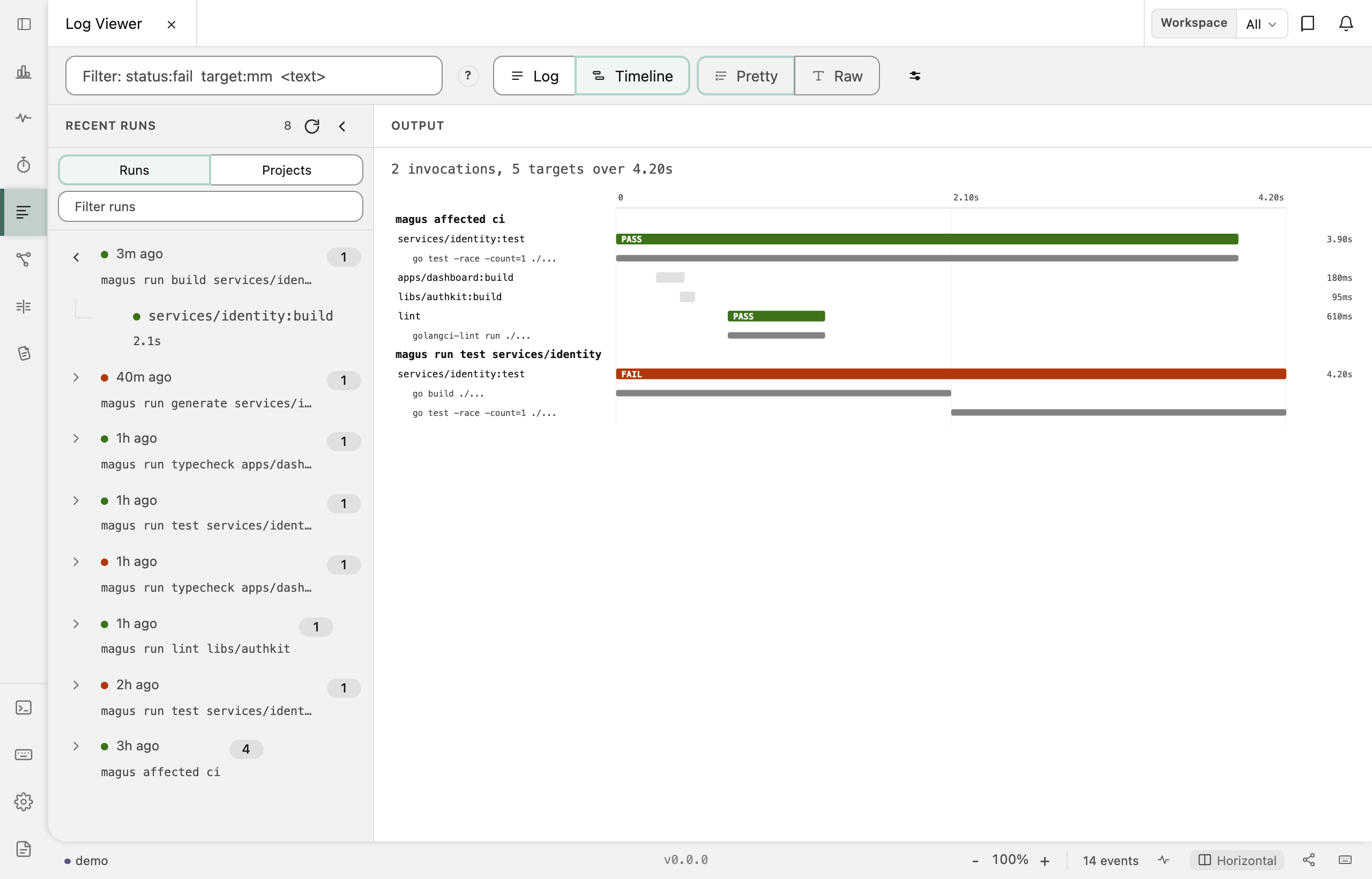 Log Viewer Any run's captured output, streamed or replayed |
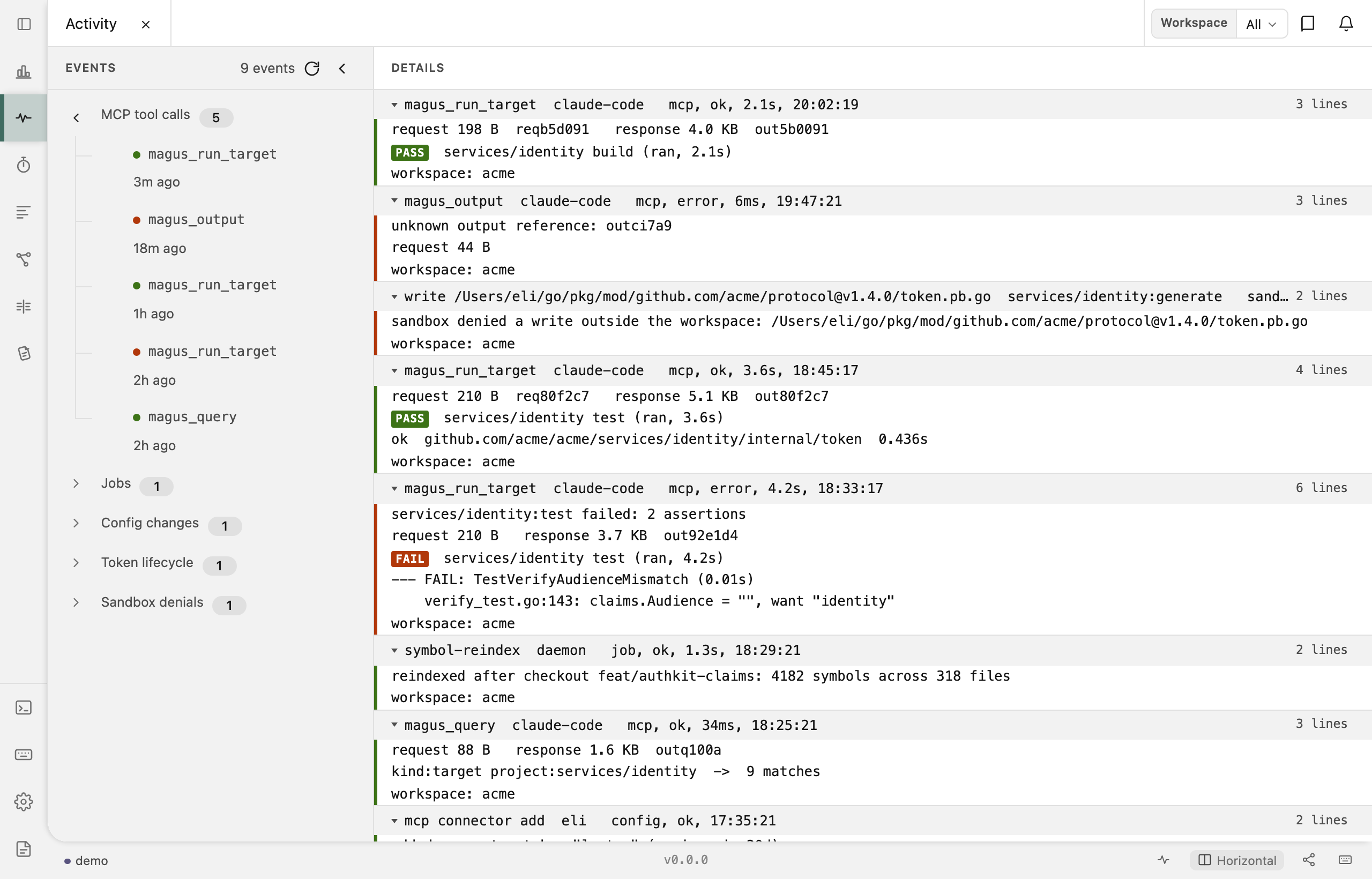 Activity Trail What agents did, and when |
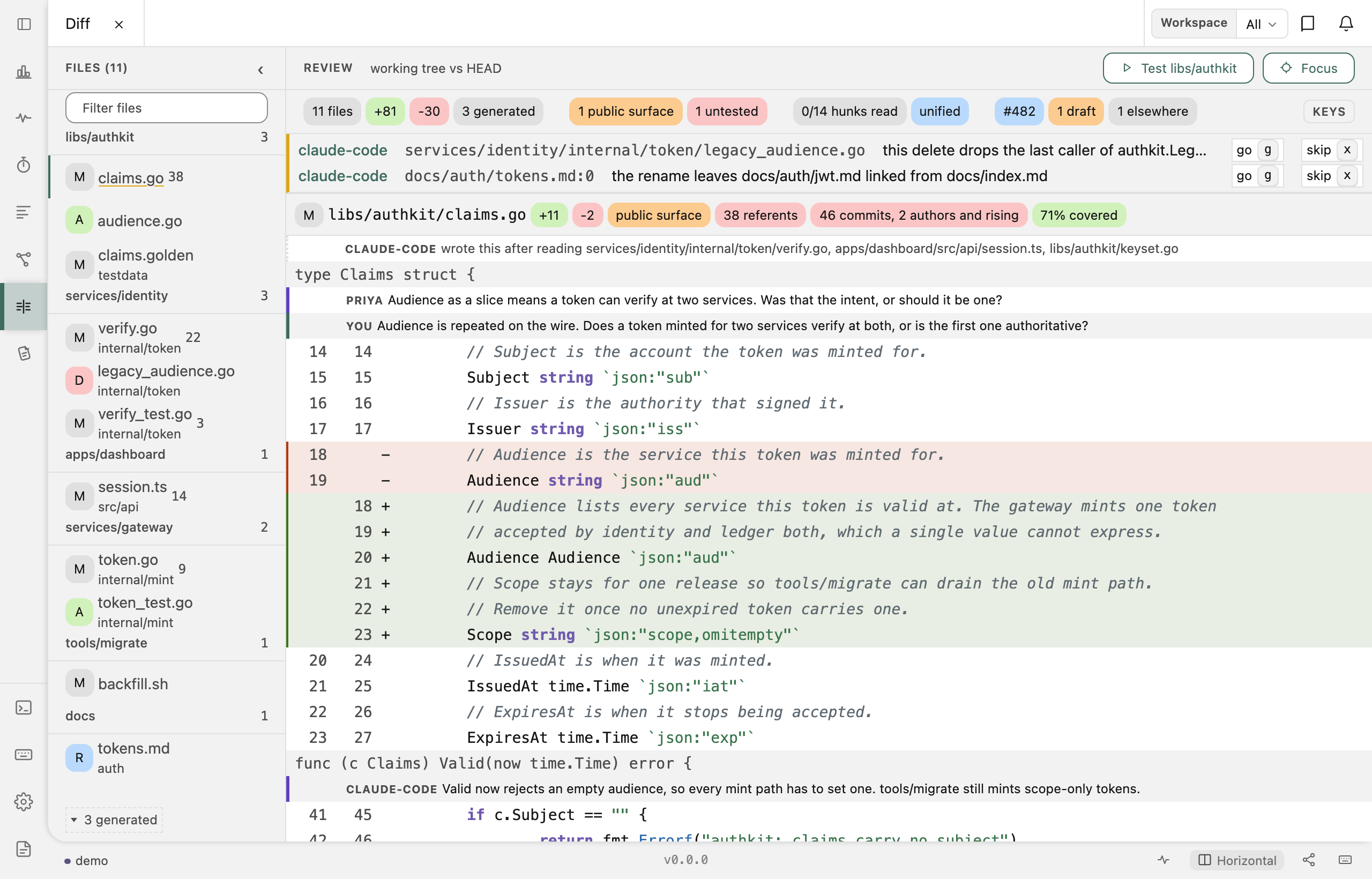 Diff Review the working tree, paired with an agent |
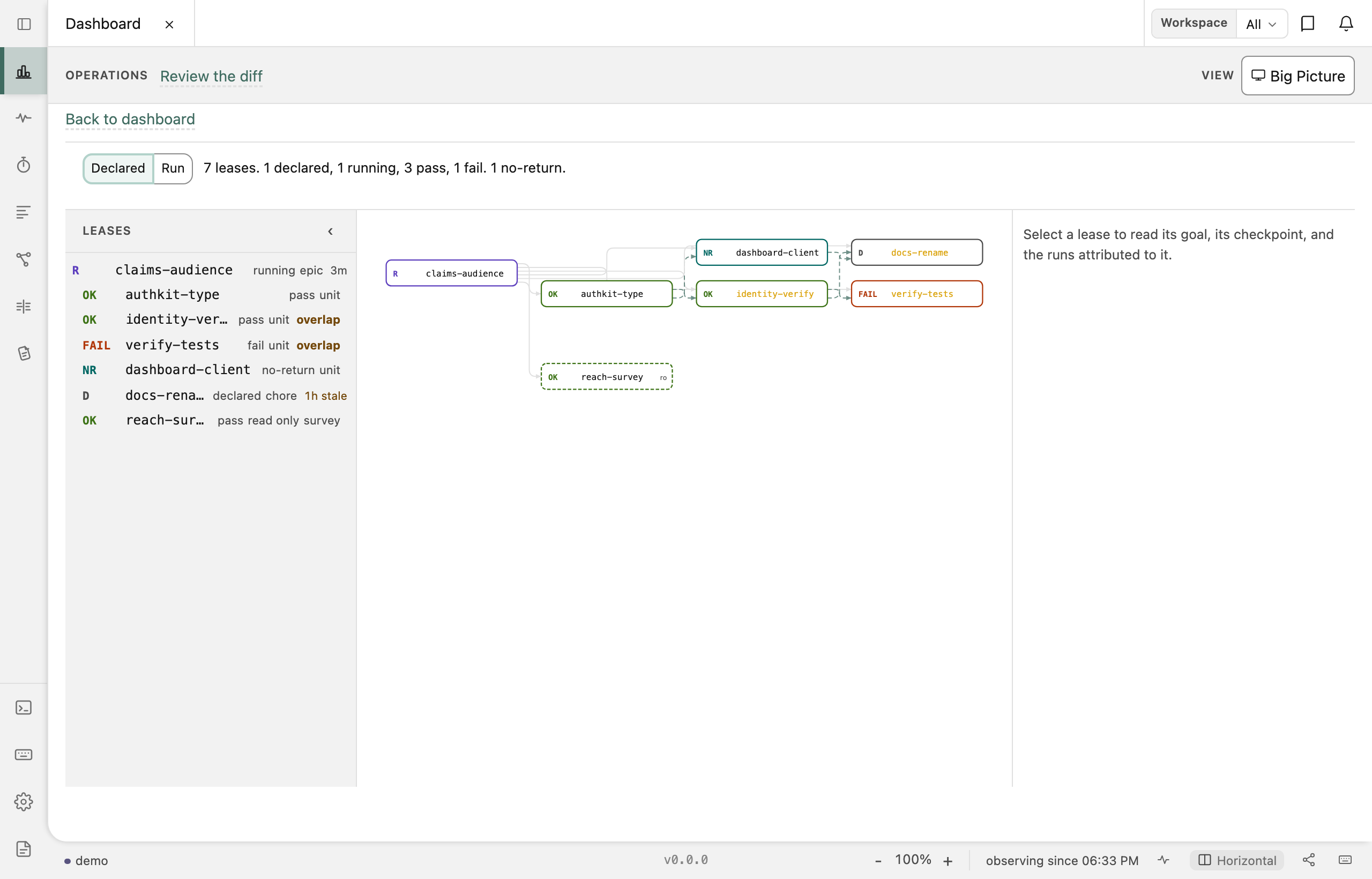 Work plan Who holds which lease, and where two of them overlap (press p) |
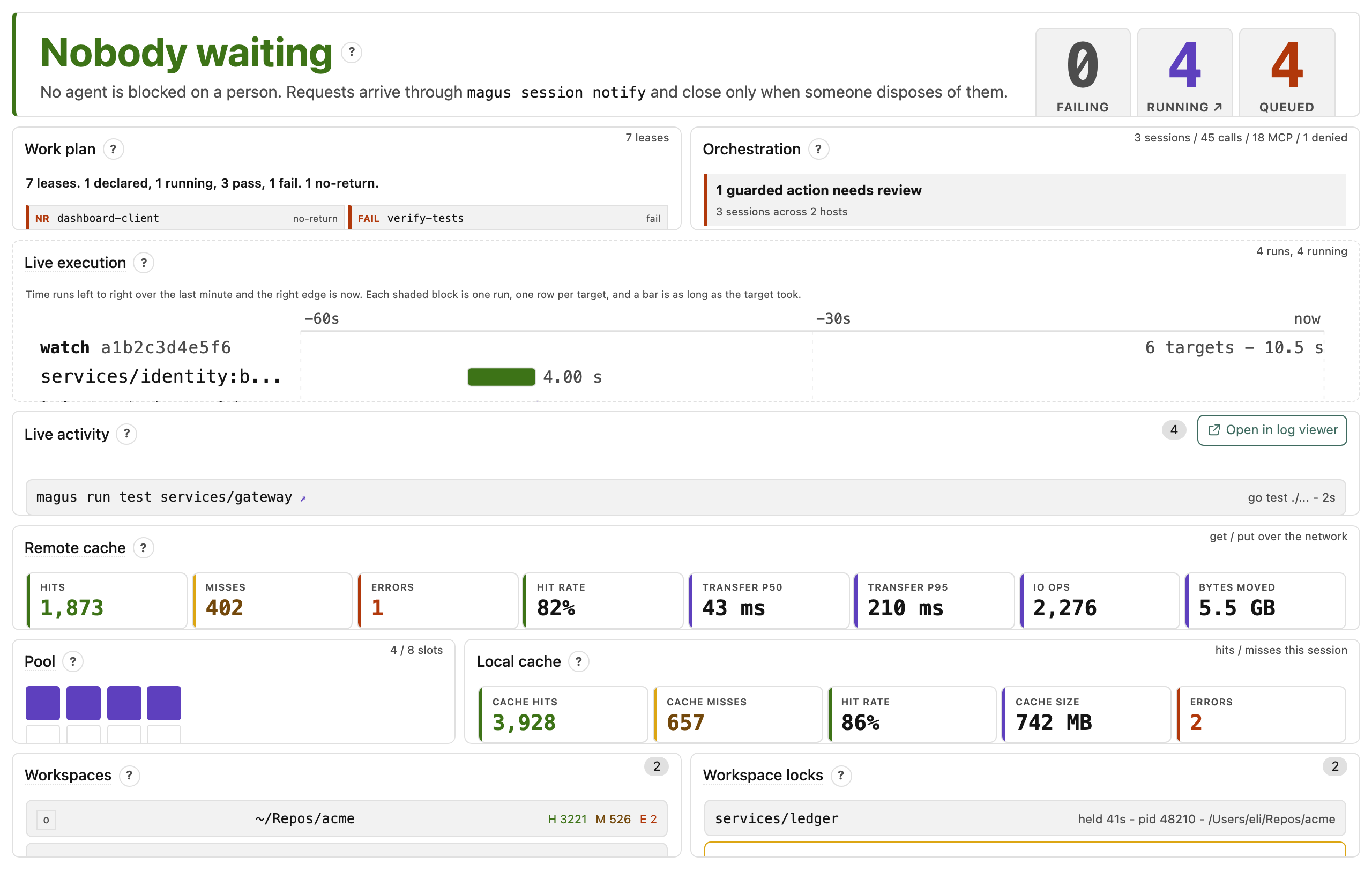 Big Picture The same dashboard with the console's own chrome gone, for a wall display (press b) |
||
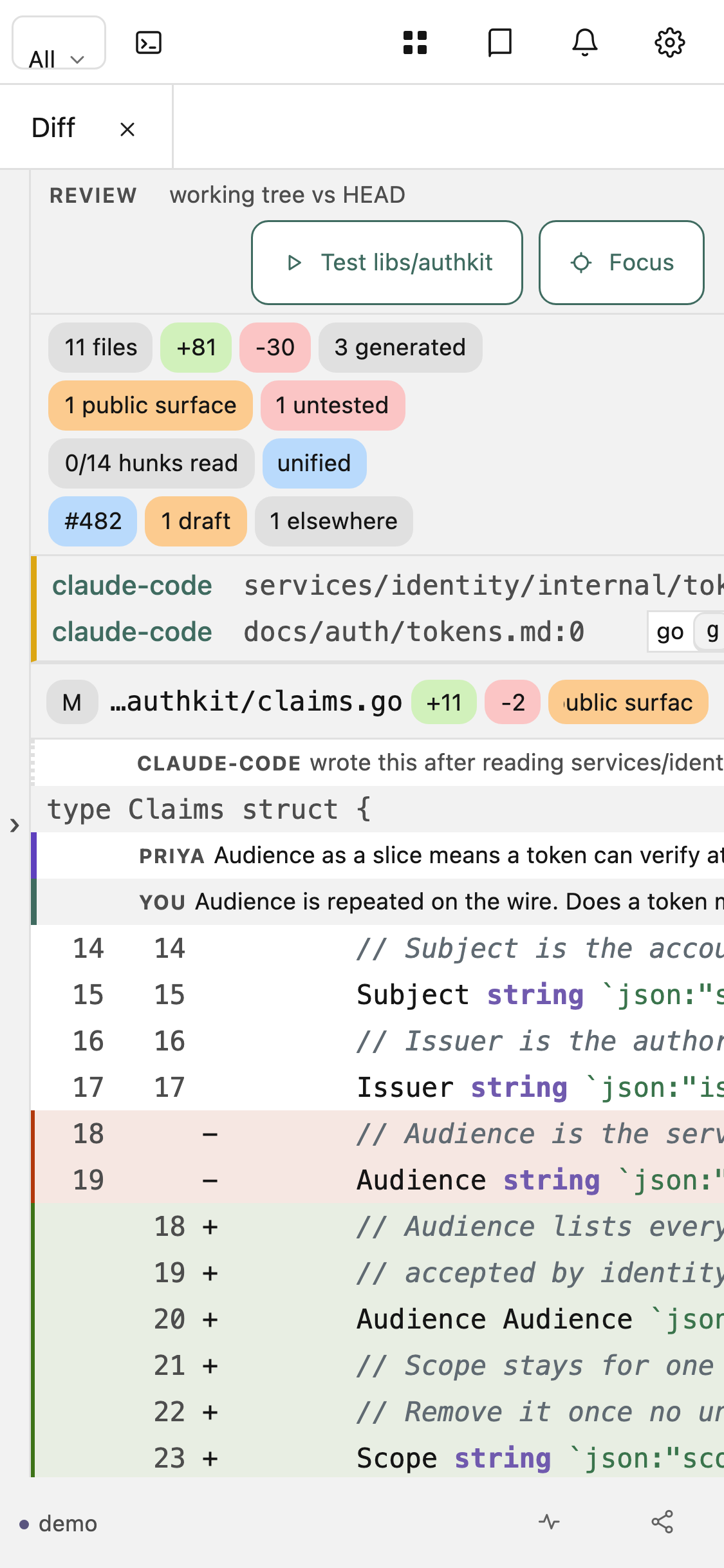 Diff, mobile The file index folds to a rail; split view falls back to unified |
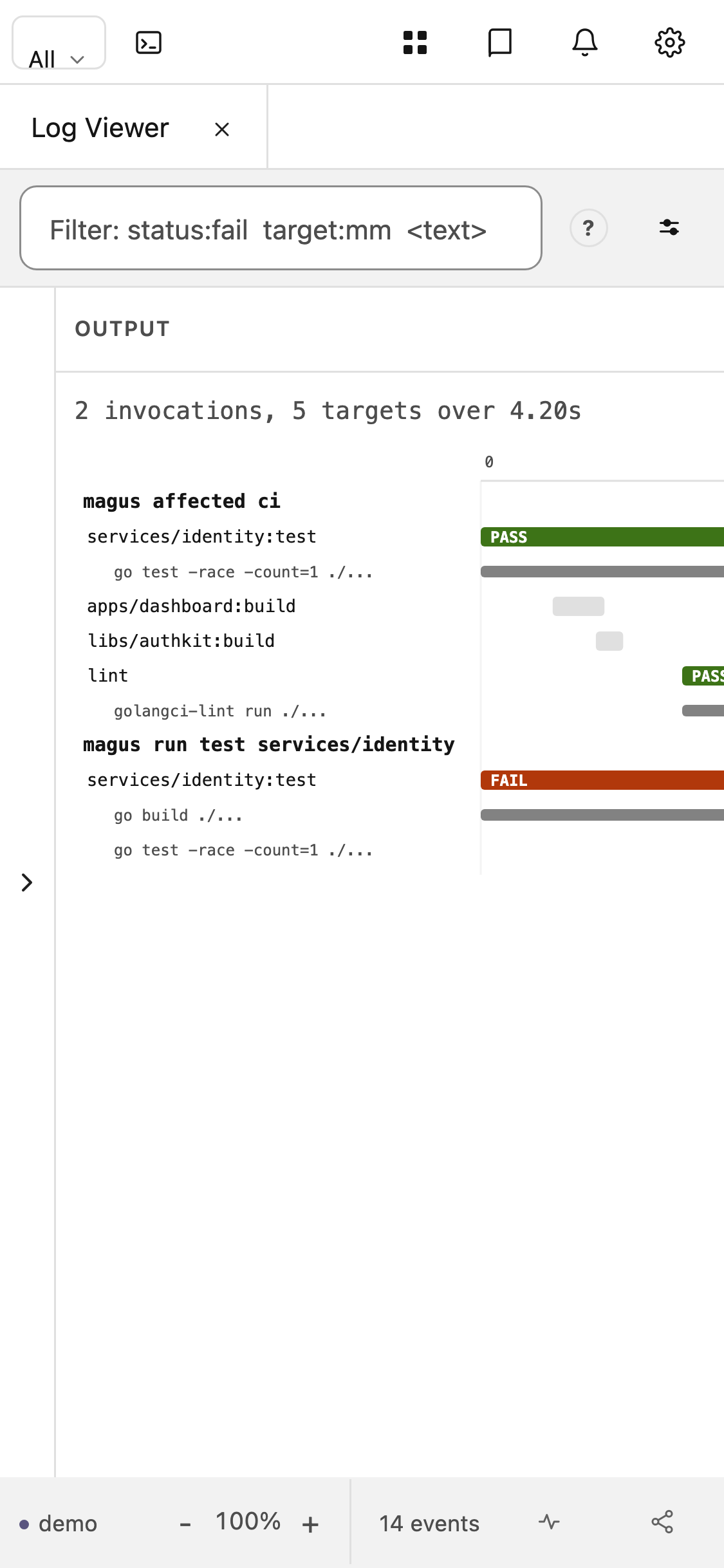 Log Viewer, mobile The waterfall keeps its drawn size and scrolls, rather than shrinking its labels away |
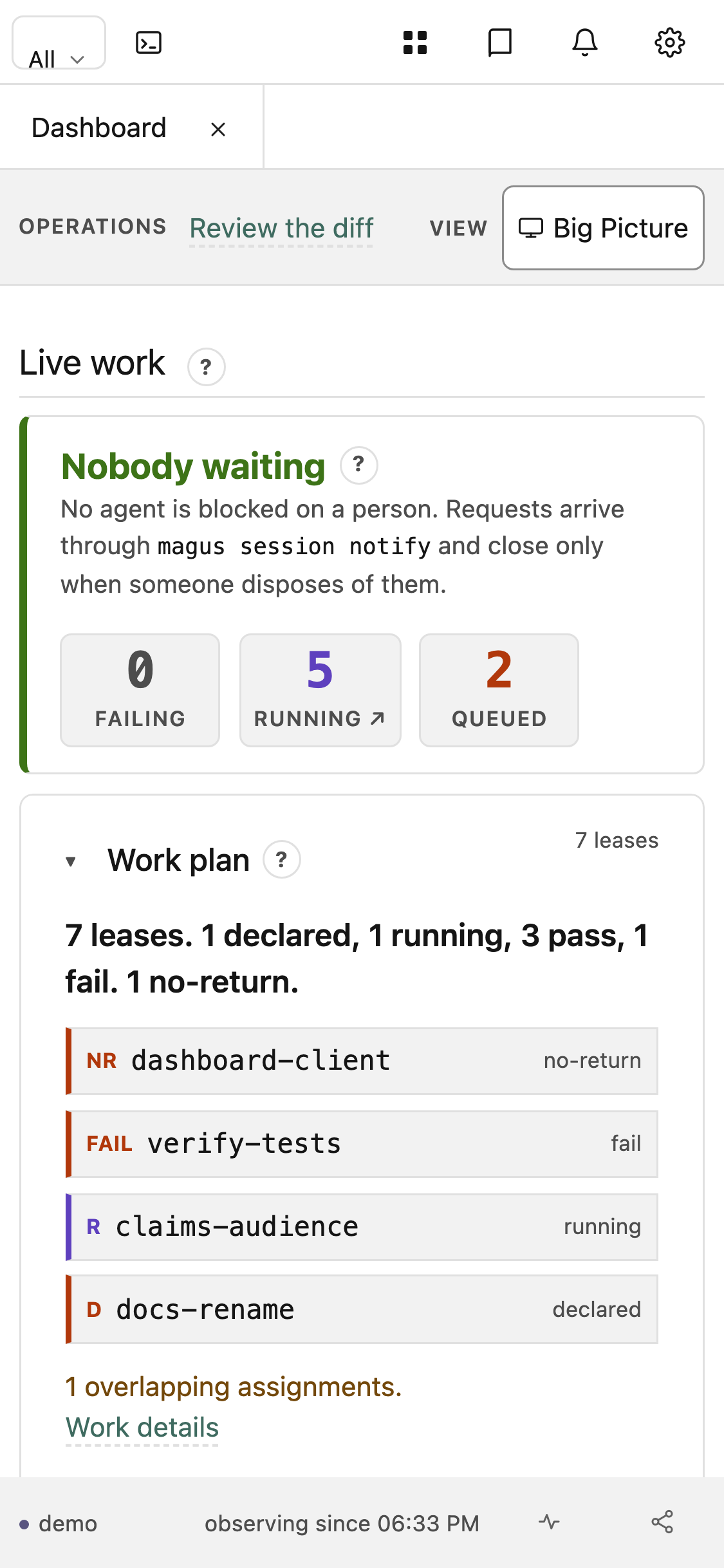 Dashboard, mobile Tiles stack, the rail gives way to the launcher grid, and controls take a 44pt touch target |
- Dashboard shows live server health, the concurrency pool, running targets, cache activity, and the live lease plan.3
- Graph Explorer navigates targets, spells, and their dependency graph (
magus graph export --open).4 - Log Viewer reads or streams any past run's captured output (
magus query output <ref> --open).5 - Activity Trail shows recent MCP calls, agent-command observations, background jobs, and config changes.6
- Diff annotates the working tree's uncommitted changes (generated vs source, blast radius, coverage) and hosts the human half of a paired review.
How it stays on your machine
These are add-ons, not a runtime you depend on. Two decisions keep them that way.
The binary embeds no UI
magus never embeds a web server that ships a UI, and a released binary carries no pages: the console is a separate static site (rendered from docs/ at deploy time, hosted at eli.gladman.cc/magus, or self-hosted from any file server). What the server exposes over loopback is a small API: read-only views (/api/v1/...), one bearer-gated job-control service for maintenance jobs, and the MCP endpoint. It will also serve a console build you point it at on disk (console/gen, or MAGUS_CONSOLE_DIR) so you can host your own copy, but it ships none and 404s /console/ until one is built.
Your data never leaves the loopback
The hosted page talks only to 127.0.0.1/[::1], a loopback lock it enforces before any request, or it receives your graph inline through a URL fragment. Nothing is uploaded. You can drop the UI entirely: set console.enabled: false and the server runs fine without it, serving no browser API at all. See the Console reference.
Working with AI agents
A tighter feedback loop does more for an agent working in your code base than a larger model does, and most of that loop already exists: the build, test, lint, format, and cache scripts you wrote so developers could set up an environment. magus is the hookup. Those same scripts become what the agent runs, deterministic and fast.
magus treats an AI agent and a new teammate as the same kind of user: someone who cannot yet trust their guesses about the repo. It ships an agent surface built on the knowledge graph, so an agent asks magus instead of grepping and guessing.
- Installable skills teach an agent to query the graph, run work through targets, and triage generated files. For Codex, run
magus agent install .agents/skillsand paste the always-onAGENTS.mdblock it prints. Claude Code uses.claude/skills; there is a setup page per host behind Agents. - The committed
MAGUS.mdis a routing index, regenerated from the graph, that points an agent at the exact query for a given question. - The MCP server the server exposes lets an agent call magus tools directly over the protocol rather than shelling out.7
- The guard hook judges a command or a write before an agent runs it, from rules that live in the binary rather than in per-host integration code. The host-shaped wiring is a template you copy and own, so a host magus has never heard of gets the same rules, and one that changes its hook surface next month is your few-line edit instead of a magus release. Doctrine records why it works that way.
Full detail, including which tools exist and how to connect, is on the Agents page.
Documentation
Full docs live at eli.gladman.cc/magus.8 The major sections:
- Core concepts: Targets, Spells, Charms, Operations, Services
- Running at scale: CI, CI providers, Server, Remote caching, MCP, Telemetry
- Reference: Man pages, Standard library modules, Testing, Debugging, Output references, Tips and tricks
Inside a workspace, the entry point is the committed MAGUS.md: a
generated routing index of the workspace's projects, targets, and the exact
knowledge-graph queries that answer questions about them. Projects can carry
their own (this repo commits one for docs/ and for each project under
libs/), scoped to that project. They are generated by
magus describe graph -o markdown via the generate target; regenerate them,
never hand-edit.
Development
magus is built and tested by magus, so this repository is a magus workspace like any other. That means parts of the contributor reference are generated from the workspace's own graph rather than written, and can show things a hand-maintained page cannot:
- Project catalogs: one page per project: every runnable target, what it depends on, which toolchains it drives, and a run-order diagram built from the real
ctx.needsedges. - Workspace dependencies: the projects in dependency order, with each one's blast radius: how many projects a change there can reach. Read it before you touch
libs/gopherbuzz. - Contributing guide: the conventions worth knowing before opening a pull request, including the benchmark-evidence rule for performance changes.
- Configuration reference: the
magus.yamlkeys and theMAGUS_*environment inventory.
The architecture diagram above tags each runtime component with the package it lives in, which is the quickest map of where code goes.
Building from source
magus builds magus, so the binary comes out of a magus target like anything else in this workspace:
mise install              # the pinned Go, Node, and esbuild
magus run go-build .      # writes ./magus
go-build regenerates the compiled built-in spells before it links, so the binary never embeds stale bytecode. It is the target to use over build, which also runs the format and image stages.
Do not have a magus yet? Install a release and point it at your checkout: then every build after that is the command above.
Failing that, a clone with no magus and no release can bootstrap one with Go directly. This is the only place a raw go build (or go run) belongs, and only to produce the binary that runs everything after it:
GOEXPERIMENT=jsonv2 go run ./cmd/magus run go-build . # bootstrap only
GOEXPERIMENT=jsonv2 is not optional: mise.toml sets it for this repository, so a build without it differs from every other build here and shows up later as generated-file drift that is not yours.
Running the tests
Run the tests through magus itself, since the whole point is that magus builds and tests magus:
magus run ci
-
SCIP is Sourcegraph's code-index format. magus indexes on its own once a project uses the
scipop, stores the index in the cache, and refreshes it in the background; the knowledge graph page covers the symbol layer and the@symbolsshard. ↩︎ -
Magusfiles are written in Buzz. You can run it in your browser, no install, at the Playground; the standard library modules are the API reference. ↩︎
-
What the tiles mean, and the metrics behind them: Telemetry and the server page. ↩︎
-
The same graph the CLI queries, drawn. See
magus graphfor the verbs and knowledge graph for the schema. ↩︎ -
A run's output is addressed by a short reference ID, which is what
<ref>is above. See output references. ↩︎ -
The trail is the server's own record, kept in memory per workspace. See the server page. ↩︎